
There was no single dramatic publishing disaster.
What kept happening was smaller and more ordinary. On sites I manage, a post would go live without a featured image. An excerpt would be empty. A placeholder heading would still be sitting in the body. Client approval had been discussed in Slack, then never recorded on the draft.
None of those things are exotic. Under time pressure, they are exactly the kind of omission that slips through.
I wanted the review to live inside WordPress, where editors already work. Not another spreadsheet. Not another tool that sits beside the CMS and hopes somebody remembers to open it.
So I built Leda Publish Check (opens in a new tab), a free WordPress plugin from Bez Leda Studios. It is newly released on WordPress.org. I have tested it on one site and it works as intended. There is no customer case study yet.
What I wanted the review to feel like
The priorities were fairly simple.
It had to stay local to the site. It had to be free to use. Checks needed to start as advice, with the option to make selected ones required. It needed to work in the block editor and the classic editor. And it needed honest limits: passing a configured check does not prove the writing is good, that the page will rank, or that it is accessible.
Leda Publish Check looks for missing, unclear or unfinished elements before content is published or updated. Titles, body content, excerpts and slugs. Word count and long paragraphs. Required or prohibited text. Headings, including more than one H1 in the content and skipped levels. Empty blocks, duplicate titles and unfinished editorial tasks. Featured images, whether alternative text is present, missing files and unsupported media references. Empty, malformed, duplicate, internal and unpublished links. Categories, tags, custom taxonomies, title and excerpt length. Author assignment and named required custom fields.
Results are grouped, explained and paired with a practical next step. That last part matters more than a red badge. A warning that only says "failed" is not useful when you are trying to finish a post.
Checks stay advisory until you mark them required. Required rules are enforced on the server across the block editor, the classic editor, REST API requests, bulk and quick edits, WP-CLI and scheduled publication. Autosaves, revisions and imports are left alone, which is deliberate. Drafts should still be saveable while the work is unfinished.
In the block editor you get a readiness line, a Publish Check panel and a pre-publish summary, with results updating as you edit. The classic editor gets a metabox and can recheck the current fields. Content lists can show a compact readiness column based on the last saved result. That column is not a live audit of unsaved typing. It reflects what was last saved.
Editorial tasks are for human steps. Checking "Client approval received" records that someone marked the step done. It does not mean the plugin contacted the client or independently verified the approval.
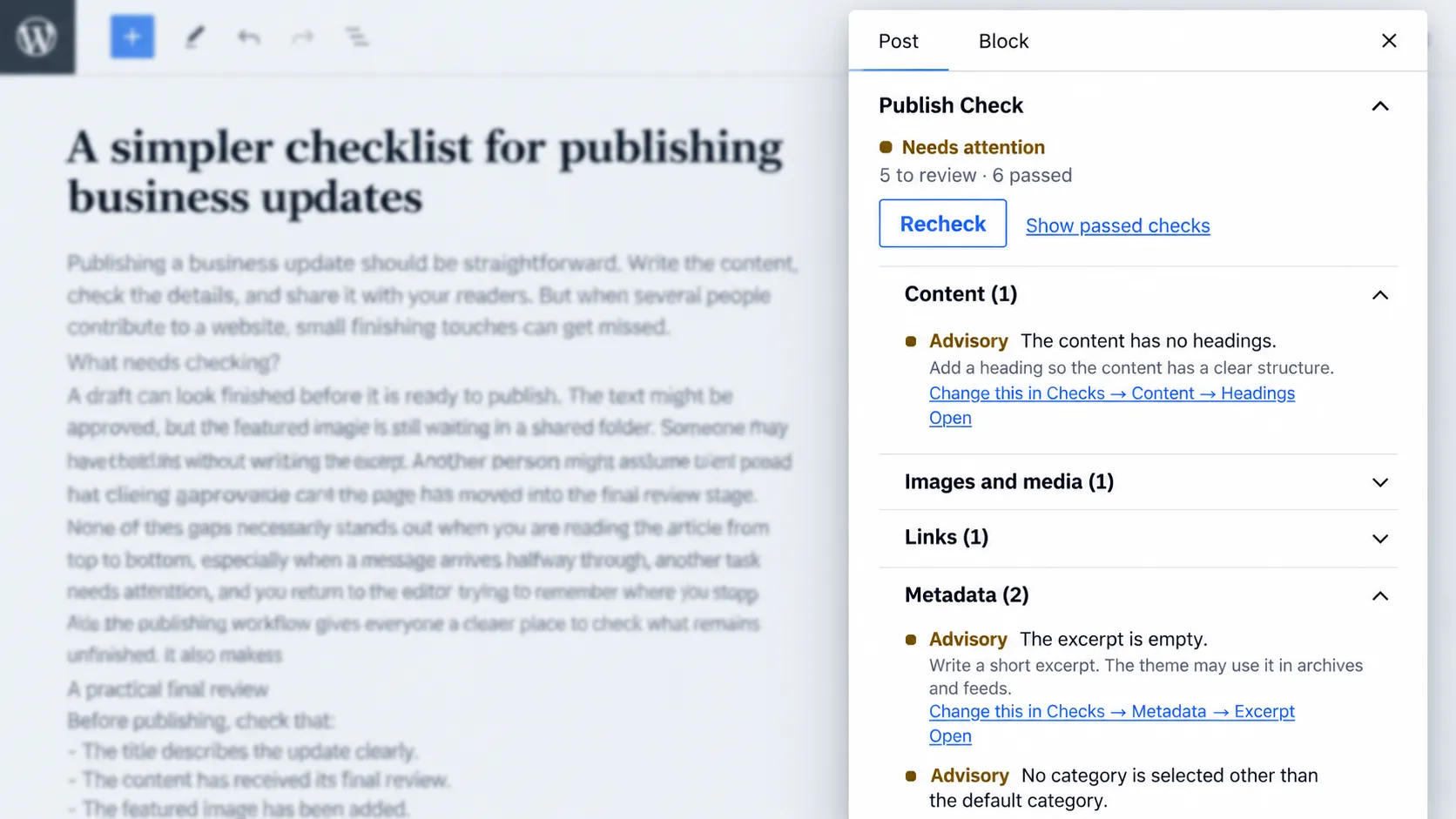
Try Leda Publish Check, free on WordPress.org (opens in a new tab)
How I would configure it
The shipped defaults leave every built-in rule advisory. That is a good starting point. What follows is how I would configure a typical site, not what the plugin turns on out of the box.
For ordinary posts, I would keep most checks as warnings and require a short list that matches how the site actually presents content.
| Posts | Pages | |
|---|---|---|
| Require | Title, body, featured image when cards and sharing need one, excerpt when listings use it, one or two editorial tasks such as client approval or fact-checking | Title, body, page-specific editorial tasks where they matter |
| Usually advisory | Heading structure, long paragraphs, word count, tags, alternative text, internal links and other media or link checks | Featured image, excerpt, tags and other checks that are less relevant to the page |
Those advisory checks still matter. Advisory status is there so an editor can use judgment. It is not a polite way of saying "ignore this". If the same issue repeatedly reaches publication, I would tighten that rule later.
The aim is to stop real damage, not to turn publishing into a punishment.
A missing featured image on a theme that relies on card images is real damage to the presentation. An empty alternative text field is a real condition the plugin can report. Whether the alternative text that does exist is a useful description is a different question, and the plugin does not claim to answer it.