An illustration of staring at the timer I used to resent.
I Used to Hate the Pomodoro Technique. Then I Built an App for It.
On this page
The Pomodoro Technique is tied pretty closely to one of my earliest proper remote-working experiences. That whole job is a story for another day. But one thing it introduced me to was working in Pomodoros.
The basic Pomodoro Technique is simple. You choose something to work on, focus on it for 25 minutes, then take a five-minute break. After several rounds, you normally take a longer break before starting again. The idea is not really that 25 minutes is some magical amount of time — it is about giving your work a defined period of focus, then deliberately stopping for a moment before continuing. That can help with procrastination, concentration, fatigue and the tendency to sit at a computer for hours without ever properly deciding what you are supposed to be doing. All perfectly reasonable.
Unfortunately, my introduction to it was basically:
You will work like this.
Which is a pretty good way to make somebody immediately dislike something.
Being forced to use a productivity technique is slightly ironic
At this particular workplace, a Pomodoro means 25 minutes of work followed by a five-minute break. The company pays for the whole 30 minutes. Nobody particularly wants to tell an employee:
"You are not allowed to work for these five minutes."
So if you want to carry on, you can. But the expectation is still that the Pomodoro structure is followed.
At first I was probably quite resistant to it — not because taking a break every half an hour is particularly offensive, but because the whole thing felt controlling. A productivity technique that is supposed to help you focus starts to feel very different when somebody else has decided that you must use it. There is naturally a bit of:
Don't tell me how to work.
And I still think that reaction is understandable. If you hire somebody because they know how to do their job, there is a strong argument for giving them the work, agreeing on the deadline and letting them get on with it. That is pretty close to how my main job works today. We have a short morning Scrum-style meeting. We talk about what is happening. Then everybody disappears and does their work. The next day, we meet again. As long as the work gets done properly, on time and within the expected budget, nobody needs a status update every 25 minutes. It is very smooth.
But over time I also realised that there was another side to the Pomodoro system.
The useful part was not really the timer
The workplace uses Basecamp for project management — projects, to-do lists, individual to-dos, discussions and now card-style workflows as well. The way Pomodoros fit into that environment is that every 25 to 30 minutes, you are expected to leave some kind of useful update in the tools. So if you are working for an hour, the expectation is roughly two Pomodoros. That means two visible records of what you were doing.
For some jobs, this happens almost automatically. A senior administrator might spend an hour updating cases, replying to messages, changing statuses and commenting across several projects. Their work naturally leaves a trail. Development is different. A backend developer can spend two hours working extremely hard and produce almost nothing visible to another person until the work is ready. That does not mean nothing happened — maybe you were debugging something, maybe you were reading unfamiliar code, maybe you tried three approaches before finding the one that worked, maybe you spent 45 minutes discovering that the problem was one stupid configuration value. That is still work. It just does not naturally produce Basecamp comments every ten minutes. And that is where the Pomodoro update started becoming more useful to me.
It creates a communication trail
If I know roughly what I am doing that day, I can normally break the work into reasonably small chunks. Maybe one Pomodoro is:
investigate the existing implementation
identify where the change belongs
confirm the data flow
Then the next one might be:
implement the first part
add tests
commit it
Then another:
handle the edge case
rerun the tests
update the documentation
The age of AI has actually made this easier too. I usually have a rough idea of what I want to accomplish during the day already. I can use something like ChatGPT to help organise that work into sensible Pomodoro-sized updates. Then, assuming reality actually matches the plan, I post the update when that period is done. If it does not match reality, I write what actually happened instead.
GitHub helps too. If that Pomodoro resulted in a useful commit, I can post the update and include the commit link. Suddenly the timer is not just saying:
You have worked for 25 minutes.
It is creating a running record of:
This is what happened during those 25 minutes.
For a remote team, that can actually be pretty useful.
An illustration of shared focus time that can help a remote team stay aligned.
It can still get in the way
I do not think this means everybody should start posting updates every 25 minutes. Sometimes you are deep into something and the last thing you want is a timer going off. There is a reason developers talk about getting into flow. You finally have the whole problem loaded into your head — you understand what this service does, where the strange edge case comes from, why that function behaves differently on Tuesdays during a full moon. Then:
DING.
Time to stop and write a status update. That can absolutely be disruptive.
Even the workplace itself recognises this. A developer might go much longer without posting because they are genuinely deep in the work. The problem is that policies and reality do not always line up perfectly. My own experience has taught me that it is usually safer to just keep the Pomodoro trail going — because if you invoice two hours and somebody later looks at the project and sees only one or two updates, suddenly those two hours can become a discussion.
Where are the other Pomodoros?
What happened during this time?
Was this really two hours of work?
And once you have experienced an invoice dispute because the visible record did not quite match the time you worked, you become surprisingly good at remembering to post the updates. So yes, it is an odd measurement system. But if that is the environment you are working in, understanding the system is better than fighting it every day.
There are jobs where Pomodoro makes much more obvious sense
I actually think the classic Pomodoro Technique works extremely well for studying — twenty-five minutes of proper concentration, five minutes away from the material, then come back. That is easy to understand. It also works really well for repetitive or draining tasks. Imagine you are updating 25,000 products as part of a data harmonisation project. There is only so long you can stare at product records before your brain starts leaking out of your ears. A timer reminding you:
Stand up.
Look away from the screen.
Drink something.
Breathe.
An illustration of the break: stand up, look away, drink something, breathe.
That can genuinely help. You do not need to treat the break as a punishment for working — the break is part of keeping yourself useful for the next few hours. That is probably the biggest change in how I see Pomodoro now.
I used to see the timer as a punishment
When somebody first forces a timer onto your working day, it feels like surveillance. You start thinking about whether you are "allowed" to do something — am I working enough? Did I post enough? Did that task really deserve two Pomodoros? That is not a particularly healthy relationship with a productivity technique.
Over the years I have started looking at it differently. The timer is not necessarily there to prove I am working. It can also remind me that I have been working. There is a difference. When I am properly focused on something, several hours can disappear incredibly quickly. The Pomodoro gives the day some structure. It creates little checkpoints — what did I just do? What am I doing next? Do I need to stand up for a minute? Am I actually making progress, or have I spent the last 25 minutes fighting something that needs a different approach? Those are useful questions.
Eventually I wanted my own timer
For quite a long time I just used my phone: set a timer for 25 minutes, work, write the Pomodoro update when it went off, start again. And every time I did it, I kept thinking:
This should just be an app.
An illustration of the moment the habit becomes something that should just be an app.
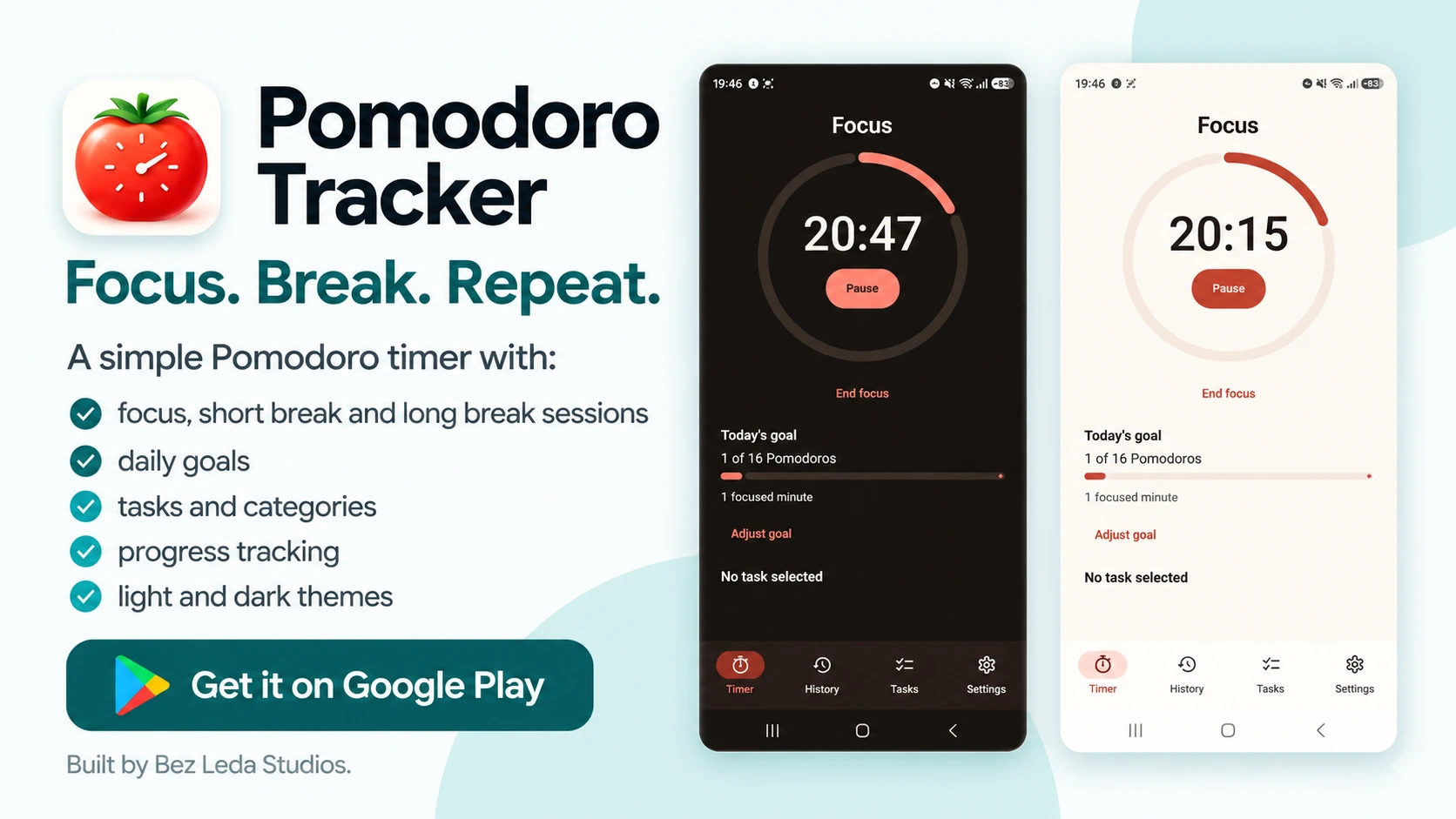
Not because Pomodoro apps do not exist — there are approximately eleven billion of them. But I wanted one that fitted how I actually use the technique. So eventually I built Pomodoro Tracker.
Now I can track my Pomodoros through the day instead of just running a disposable phone timer. I can attach them to tasks or categories, see how many I have completed, and — specifically for the way I work — keep a very obvious daily target of 16 Pomodoros. Two per hour. Eight hours. That gives me a full day's worth of work represented in the tools and keeps my own tracking aligned with the Pomodoro updates and with the spreadsheet I use to track project time. That is much more useful to me than simply hearing an alarm every 25 minutes.
Building the app made the technique feel more like mine
That might sound slightly ridiculous. The Pomodoro Technique obviously did not change because I wrote an Android app. But my relationship with it did. It went from:
This is the weird timer system somebody makes us use.
to:
This is a way I can structure and record my day.
That is a much healthier way to look at it. I have even shared the app with coworkers. Some people struggle with their timing, forget to record what they were doing, or understand the basic idea but never quite turn it into a habit. If the app makes that easier for them, great. That feels like a much better outcome than everybody treating the Pomodoro system as something they are trying to escape from.
I still prefer trust
None of this means my ideal working arrangement is a timer watching me all day. It is not. Give me a day rate. Tell me what needs to be done. Trust me. I will get it done. That is still my preferred model.
But not every workplace works like that. And even in a completely trust-based environment, there are parts of Pomodoro that I would keep — the intentional focus, the little checkpoints, the reminder to move, the permission to stop for five minutes without feeling like you are doing something wrong. Those things are genuinely useful.
If you want to try Pomodoro, do not make it another thing to fail at
If you have never used the technique before, I would start very simply. Make a rough plan for your day. Pick the first thing. Set a timer for 25 minutes. Work on it. Then stop for five minutes — stand up, get a drink, look out of the window, do something other than staring at the same screen. Then decide what the next 25 minutes are for.
And do not panic when your beautiful morning plan collapses by lunchtime. Maybe you planned eight things and completed four. That is not necessarily a productivity failure. That might simply be what reality looked like today — something took longer, someone needed you, a bug turned out to be harder than expected, a meeting appeared, your estimates were wrong. Welcome to work.
The point is not to create sixteen opportunities every day to feel guilty. It is to break a long working day into manageable pieces and pay a little more attention to what you are actually doing with them. That is what took me years to appreciate. I started using Pomodoro because somebody told me I had to. These days I still use it because, underneath all the tracking and policies and timers, it turns out the basic idea is actually pretty good.